
How to Precisely Generate Porn Videos with AI
Master the two-step method for precise AI video generation: lock down visuals with a first-frame image, then control motion with step-by-step instructions. Stop letting AI guess — take control of 80% of your shots with ease.
When most beginners try generating videos with PornPop AI for the first time, they run into the same problem: I gave it an image and a prompt, but the result is nothing like what I wanted.
You wanted the camera to slowly push in toward the character's face, but it flew all over the place. You wanted the girl to turn around and smile, but the motion was completely off. You envisioned a cinematic shot on a dark street with wind blowing through her hair, but the background style changed entirely.
It's not that your prompt was bad. The problem is more fundamental — you're misunderstanding how AI video generation actually works.
AI Isn't "Executing" — It's "Guessing"
AI doesn't precisely reproduce the image in your head. Its process is closer to: taking the limited information you provide and guessing a "reasonable" video to fill in the gaps.
The problem is: the scene in your mind is complete, but the information you pass to the AI is far from enough.
For example, if you write "a girl turns around at the beach, cinematic feel", your brain has already filled in tons of default details — the girl's age, clothing, how fast she turns, whether the camera is handheld or locked off, whether the color palette is warm or cool. But you never told the AI any of that, so it has to guess on its own, and naturally the result doesn't match your vision.
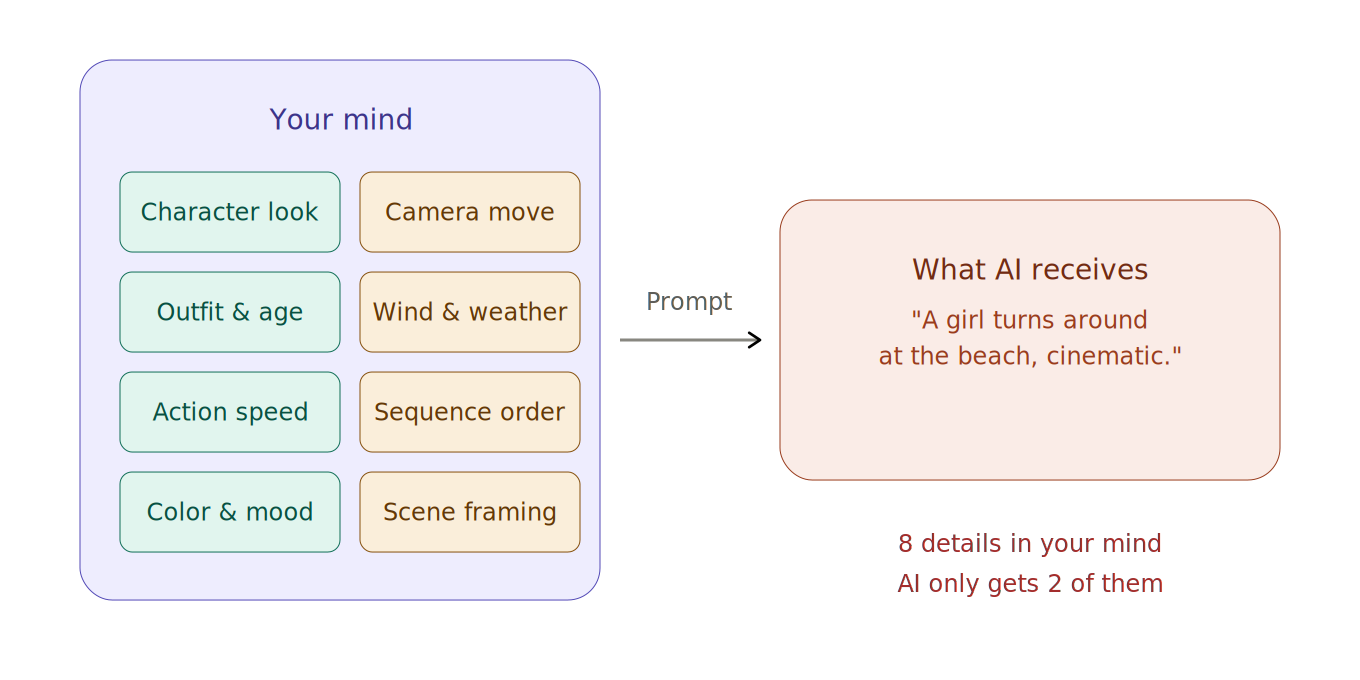
You have 8 details in mind, but AI only receives 2 — it guesses the rest.
The Solution: The Two-Step Method
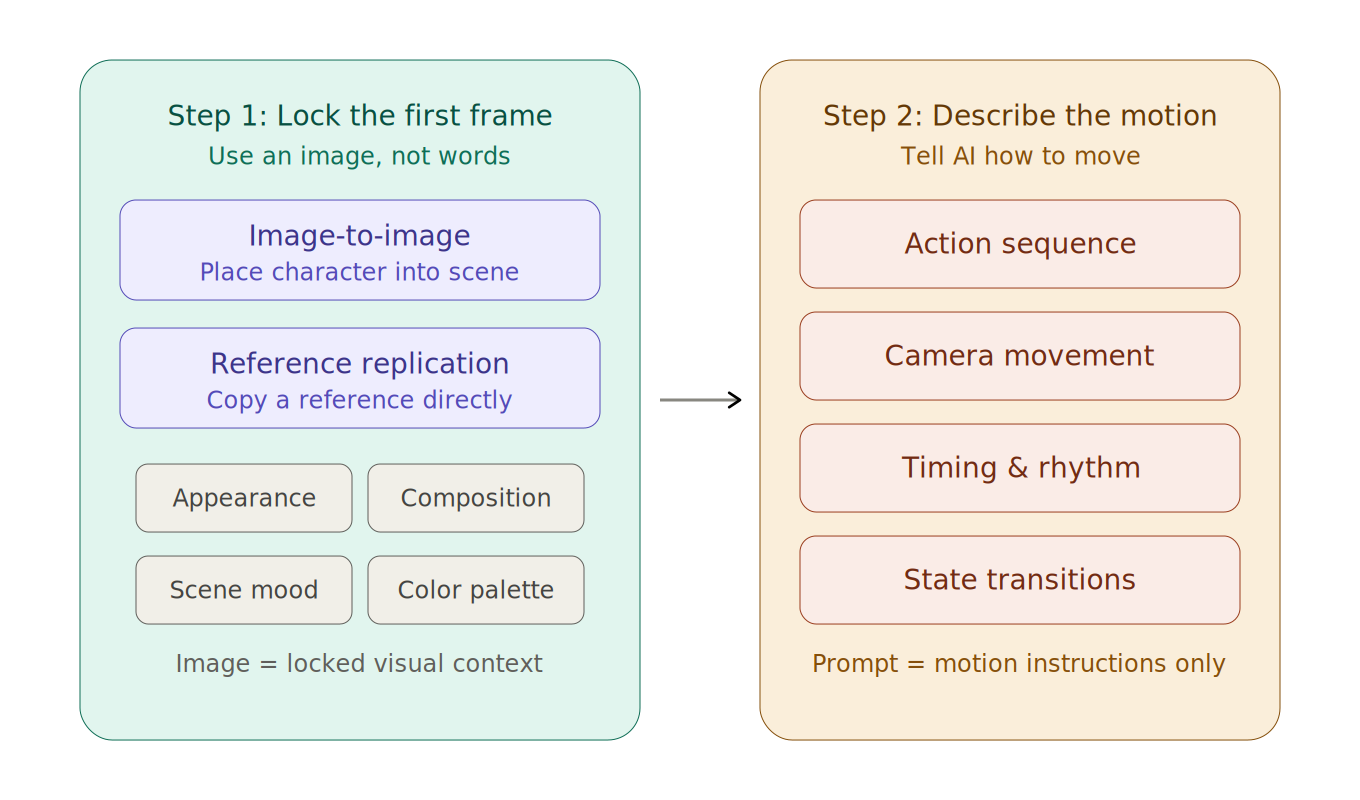
Instead of obsessing over prompt tricks, use a far more effective approach to control video generation — split the process into two steps: lock down the visuals first, then add motion.
Step 1: Lock Down the First Frame with an Image
Think of yourself as a director. Before you start shooting, you position the actors in the scene and set everything up, then you call "Action." The first-frame image is that moment right before you call Action.
Using a precise image instead of a text description locks down the character's appearance, scene atmosphere, composition, and color palette all at once — none of which AI needs to guess anymore.
In PornPop, there are two ways to quickly generate a first-frame image:
- Image to Image: Upload a character image and tell AI what scene and pose to place them in.
- Replicate a Reference Image: Upload a reference image directly and have AI generate a highly consistent version.
Step 2: Only Describe "How It Moves"
Once the first frame is set, your prompt only needs to focus on one thing: telling AI how the scene should move.
There are two key principles here:
Principle 1: Break actions into steps. Don't write vague descriptions like "she moves naturally." Instead, decompose the motion into clear, sequential steps.
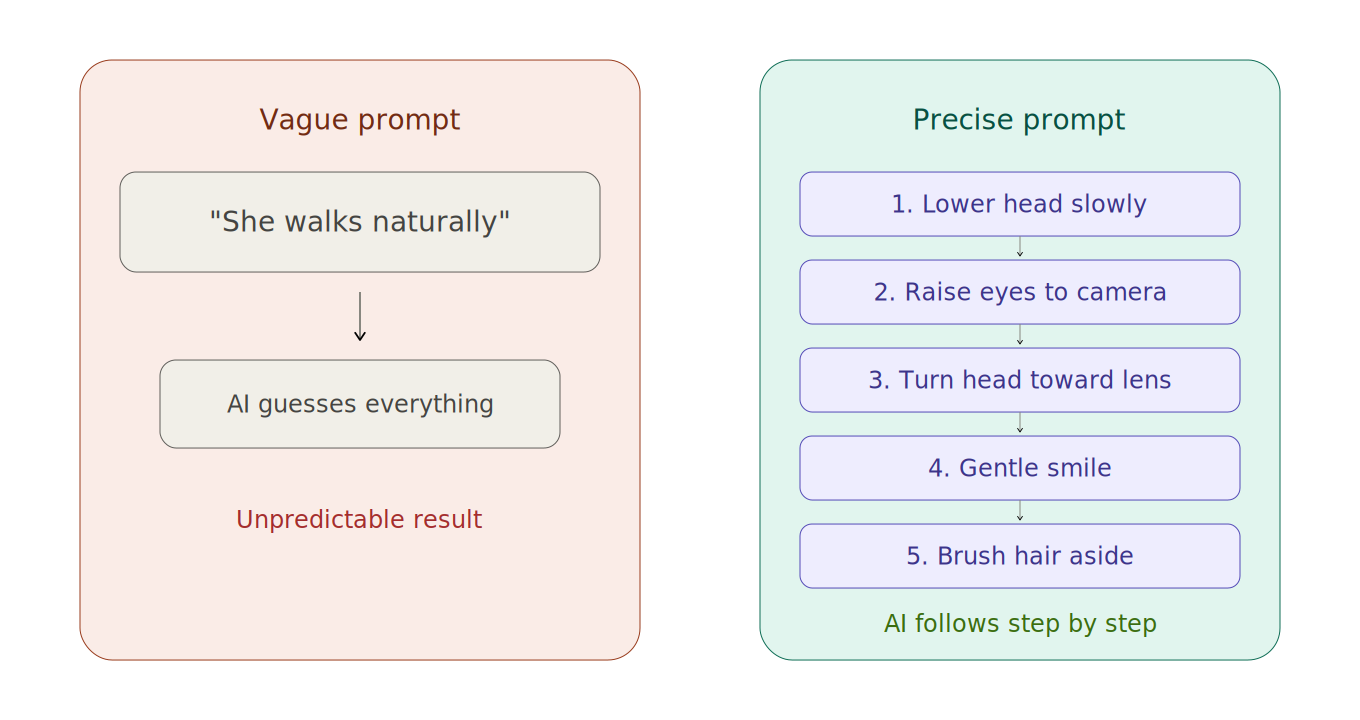
Vague description on the left — AI can only guess. Step-by-step instructions on the right — AI follows precisely.
Principle 2: Specify camera language separately. Video quality depends largely on camera work, not just what's in the frame. Camera instructions should be given separately, for example: locked-off shot, slow push-in, mid-shot to close-up, slight handheld feel, follow the subject, orbiting rotation.
Summary
| Conventional Approach | Two-Step Method | |
|---|---|---|
| Visual Information | Relies entirely on text | Locked down with a first-frame image |
| Motion Description | One vague sentence | Step-by-step breakdown + separate camera instructions |
| AI's Guessing Room | Very large | Significantly reduced |
| Controllability | Low | High |
Master the two-step method, and you can easily control 80% of your shots.
We'll cover advanced prompt techniques in a future post. Have fun creating!